Gracefully removing gluster node
Remove node from volume The following script will assume the following: Script can be run on any machine in the peer list. Remove node from peer
Remove node from volume The following script will assume the following: Script can be run on any machine in the peer list. Remove node from peer
Why Tunnel? Although using proxied DNS by Cloudflare is good, we still need to punch holes (notably 80 and 443) on our firewall or router. With tunnel, our “agent” will reach out to Cloudflare instead of HTTP request coming through our firewall. Cloudflare Tunnel Preparation Cloudflare Team Before we can proceed with setting up tunnel,... » read more
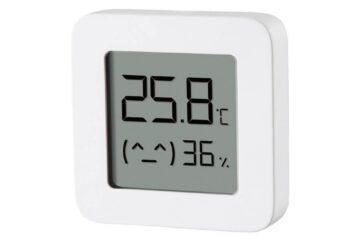
Objective To link Xiaomi Mi Temperature and Humidity Monitor to Home Assistant Tested Hardware Xiaomi Mi Temperature and Humidity Monitor (Hardware Version: LYWSD03MMC) Resources Telink Flasher v4.4 (pvvx.github.io) Issues · pvvx/ATC_MiThermometer · GitHub Flashing Firmware Connecting to Sensor Use your laptop (with BT device) and go to Telink flasher (link in resource above) In the... » read more
Objective We have a printer here which can send email via SMTP. However, Office 365 is quite finnicky on the configuration. This article is extracted from How to set up a multifunction device or application to send email using Microsoft 365 or Office 365 | Microsoft Docs What do we need? We’ll need FIXED-IP for... » read more
Enable SSH Go to Configuration > Add-ons Add-On Store button Find Terminal & SSH Click on Install After installation is completed, we can toggle “Show in sidebar” Go to Configuration page We can add authorized keys (sample below) Add port number in Network section Remember to click Save button Go back to Info tab Click... » read more
What is WSUS? WSUS helps controlling Windows update on client and server machines. In this article, we are not doing local publishing. Firewall (Egress) The following is needed to be allowed (access can be managed with proxy server): http://windowsupdate.microsoft.com http://*.windowsupdate.microsoft.com https://*.windowsupdate.microsoft.com http://*.update.microsoft.com https://*.update.microsoft.com http://*.windowsupdate.com http://download.windowsupdate.com https://download.microsoft.com http://*.download.windowsupdate.com http://wustat.windows.com http://ntservicepack.microsoft.com http://go.microsoft.com http://dl.delivery.mp.microsoft.com https://dl.delivery.mp.microsoft.com We’ll need to... » read more
Requirements Hosts For preparation of RPi, we can use this article. rpi-01 rpi-02 rpi-03 Architecture Replicated across 3 nodes Install System Configuration Host file Firewall Add the following ruleset Check the configuration is readable by following command Enable firewall rule Join master node: Mount partition Create gfvolume Replacing Brick If any brick has failed, we can... » read more
Proceed after we have added smart devices to SmartLife or Tuya mobile app Create Tuya Cloud Project Create Project go to: https://iot.tuya.com Go to Cloud > Development and create new Cloud Project Link Project to SmartLife app Click on the project to go into details Go to Devices tab > Link Tuya App Account Click... » read more
I prefer to see graphical interface while dealing with partition. We’ll need another RPi to resize the target MMC for another RPi. What we need MMC (pre-booted on main RPi) RPi with GUI USB MMC reader GParted Install GParted From the command line use Run GParted Next step will require us to vnc into RPi... » read more
Requirement Hardware or software required: Preparing RPi Installing OS We can use this article to prepare the OS for RPi Install ser2net Run the following command. We can connect USB to serial at this point of time We should have return from the above code as sample below Configure ser2net Next, we’ll edit configuration file... » read more